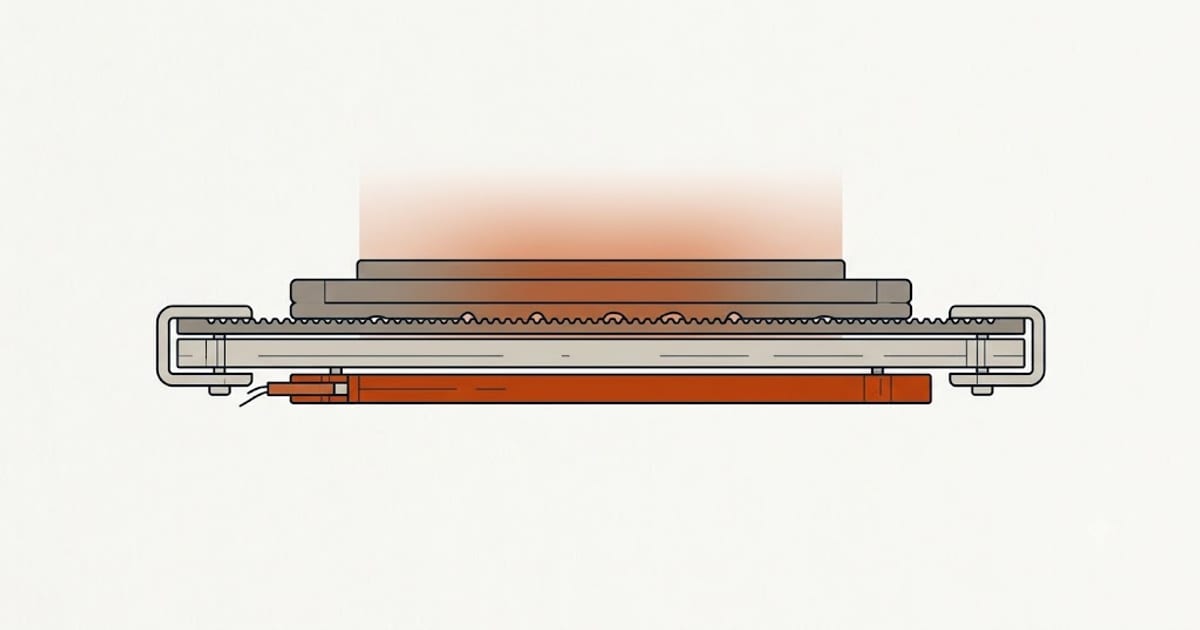
Compare the bed temperatures the four biggest PLA brands publish and something odd appears:
| Filament | Published bed temperature |
|---|---|
| Polymaker PolyLite PLA | 25–60 °C |
| Bambu PLA Basic | 35–45 °C |
| Prusament PLA | 40–60 °C |
| eSUN PLA+ | 45–60 °C |
Bambu's range and eSUN's range barely touch. Polymaker's starts at room temperature. These are all PLA, all 1.75 mm, all through a 0.4 mm nozzle — and there is no single number that satisfies all four.
That is not sloppiness. It is a clue about what bed temperature actually controls.
The bed does two different jobs
Job one: hold the first layer down while the rest prints. This is chemistry between the plastic and the surface, not the plastic and the heat. A textured PEI sheet grips PLA mechanically; smooth PEI grips it by adhesion; bare glass barely grips it at all without help.
Job two: keep the part from pulling itself off the plate. As each layer cools it contracts, and contraction generates a peeling force at the corners. A warm bed keeps the lower part of the print closer to the temperature of the layer being added, so there is less differential contraction to fight.
Job one is nearly finished by the time layer three goes down. Job two runs for the whole print. Most people set one number and assume it serves both.
Why the published ranges differ
The three low-end numbers in that table map cleanly onto three assumptions:
- Polymaker's 25 °C floor assumes you might have no heated bed at all, on a suitable surface with glue when needed. It is a statement that PLA can be printed cold, not that it should be.
- Bambu's 35–45 °C assumes a textured PEI plate with glue and a printer running at high speed. On a textured plate PLA already keys into the surface mechanically; adding heat past 45 °C mostly makes parts harder to remove afterwards.
- eSUN's 45–60 °C is for PLA+, a tougher blend that also prints hotter at the nozzle. More heat in the part means more contraction to manage, so it wants a warmer bed.
The pattern: the published bed temperature is a statement about the manufacturer's assumed build surface and print speed, not about the polymer. Change the surface and the correct number moves, whatever the spool says.
The ceiling nobody puts on the label
PLA's glass transition sits somewhere around 55–60 °C. Above that the material stops behaving like a solid and starts to soften.
That is why almost every published range stops at 60 °C. Run a bed at 65 °C and the bottom few millimetres of your print spend the whole job above their softening point, held down by nothing but their own rigidity — which they no longer have. The result is elephant's foot: the base spreads outward under the weight of everything above it.
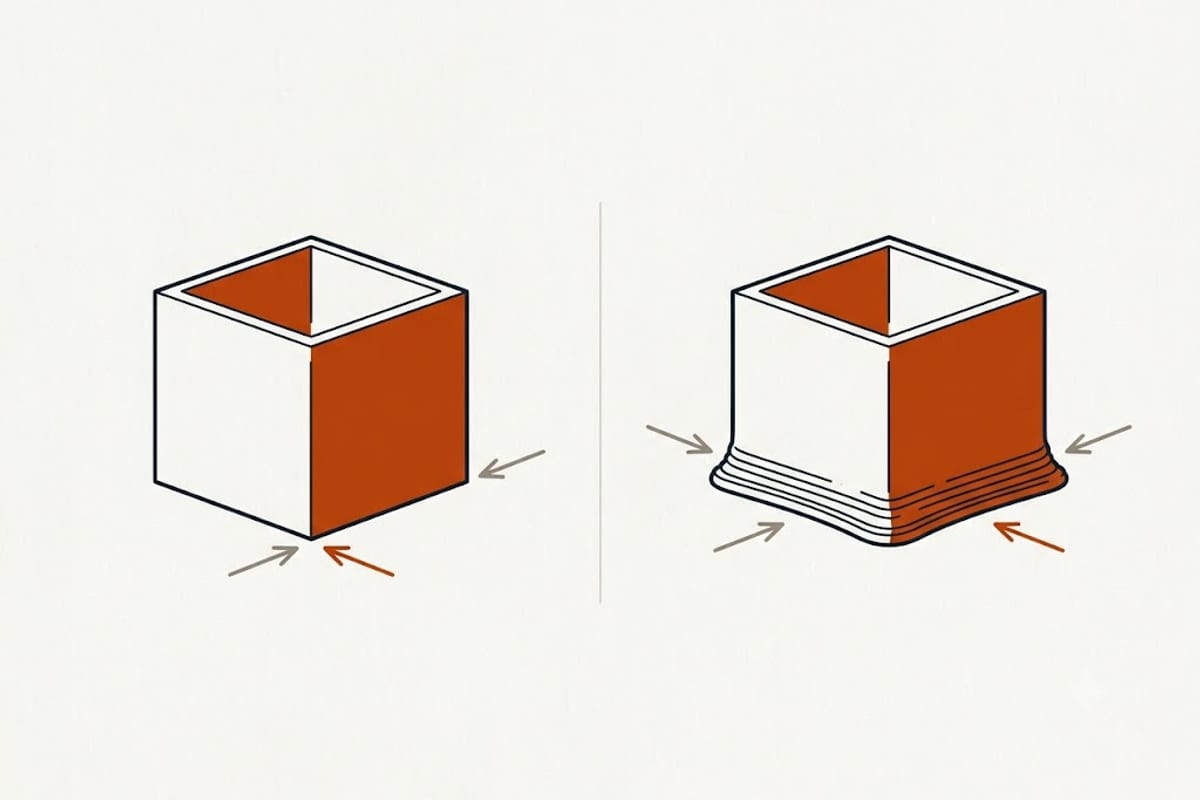
If your parts do not fit their holes and the error is always at the bottom, the bed is too hot before it is anything else.
A practical way to choose
- Start from your build surface, not your spool. Textured PEI: 45–55 °C. Smooth PEI: 55–60 °C. Glass with glue stick or hairspray: 55–60 °C. Painter's tape: 50–60 °C.
- Check that against your spool's published range and take the overlap. If the surface says 55 and the spool says 35–45, trust the spool's ceiling — the material knows what it needs less well than the surface does, but the manufacturer tested the combination.
- Adjust for part size, not for filament. A 20 mm calibration cube does not care. A 180 mm flat plate cares enormously, because it has far more contraction to accumulate along its length. Large flat parts want the top of your range; small parts want the bottom.
- If corners lift, raise the bed 5 °C and check for draughts before changing anything else. An open window near the printer defeats any bed setting.
Should you drop the bed after the first layer?
Some profiles hold the bed constant for the whole print; others drop it 5–10 °C after the first layer. Both are defensible, and the choice depends on which of the bed's two jobs dominates for the part in front of you.
Dropping it reduces elephant's foot and makes parts easier to release. It also removes the contraction control you need on anything large and flat. The rule that survives contact with reality: drop it for small, tall, dimensionally critical parts; hold it for large, flat ones.
What bed temperature will not fix
Three failures get blamed on the bed and are not the bed's fault:
- First layer lines not sticking to each other — that is nozzle height, not bed heat. See PLA first layer settings.
- Weak layer bonding higher up the part — that is nozzle temperature. See PLA print temperature.
- A part that lifts even at 60 °C on a clean plate — that is almost always a dirty surface. Skin oil from handling the plate defeats PEI completely. Wash with dish soap and warm water, not with the isopropyl alcohol that just spreads the oil around.
FAQ
What bed temperature should I use for PLA?
Start from the range your filament's own data sheet publishes — they span 25 °C to 60 °C across major brands — then narrow it using your build surface. Textured PEI works well at 45–55 °C; smooth PEI and glass generally want 55–60 °C.
Can I print PLA without a heated bed?
Yes, on a suitable surface. Polymaker publishes a bed range starting at 25 °C for PolyLite PLA, which is room temperature. You will need good surface preparation and you will struggle with large flat parts, which need bed heat to control contraction.
Why is the bottom of my print wider than the rest?
That is elephant's foot, and it is usually a bed running too hot. PLA softens around 55–60 °C, so a bed above that keeps the base of the part soft enough to spread under the weight above it. Lower the bed 5 °C at a time.
Should the first layer bed temperature be higher?
Not usually for PLA. The first layer benefits from a slower speed and no part cooling far more than from extra bed heat, and raising it risks the base softening for the rest of the print.
Does bed temperature affect part strength?
Indirectly. A warmer bed reduces the temperature difference between the part and the incoming layer, which reduces internal stress and warping. It does not change layer bonding, which is governed by nozzle temperature.